Payment provider clients without manual workAll clients, all exports – one login
Do your clients take payments via Stripe, PayPal, Mollie, Adyen, GoCardless, Paddle or Lemon Squeezy? finHero turns them into import-ready Buchungsstapel (booking batches) for DATEV, BMD, bexio or Abacus – with fees, payouts, refunds, receipts and transaction IDs. You see all clients at a glance and download every export with one click.
Free for tax advisors when a client invites you. Questions? We reply within one business day.
The problem
Payment provider data is not bookkeeping
Clients deliver raw exports from Stripe & co., the firm turns them into bookings. finHero does this step – the bookkeeping stays with you.
A finished batch instead of CSV
Payments, fees, payouts and refunds already sit on the right accounts.
Your account logic
You define general ledger accounts, debtors and tax keys (SKR03/04, EKR, KMU) once – finHero books accordingly.
Every booking traceable
Every booking line carries the provider's original transaction ID.
Receipts included
Invoice PDFs with a receipt index (DATEV document.xml or receipt list) come with every export.
Merchant of record done right
Paddle and Lemon Squeezy revenue is booked as reverse-charge revenue against the provider as debtor.
One process for everything
Stripe, PayPal, Mollie, Adyen, GoCardless, Paddle, Lemon Squeezy – to DATEV, BMD (AT), bexio or Abacus (CH).
Access
How you get to your clients' data
One login for all clients. You don't need a finHero subscription of your own.
- 1
Your client invites you
Under “Manage users” the client adds you as tax advisor. You receive an invitation email.
- 2
Set up a second factor
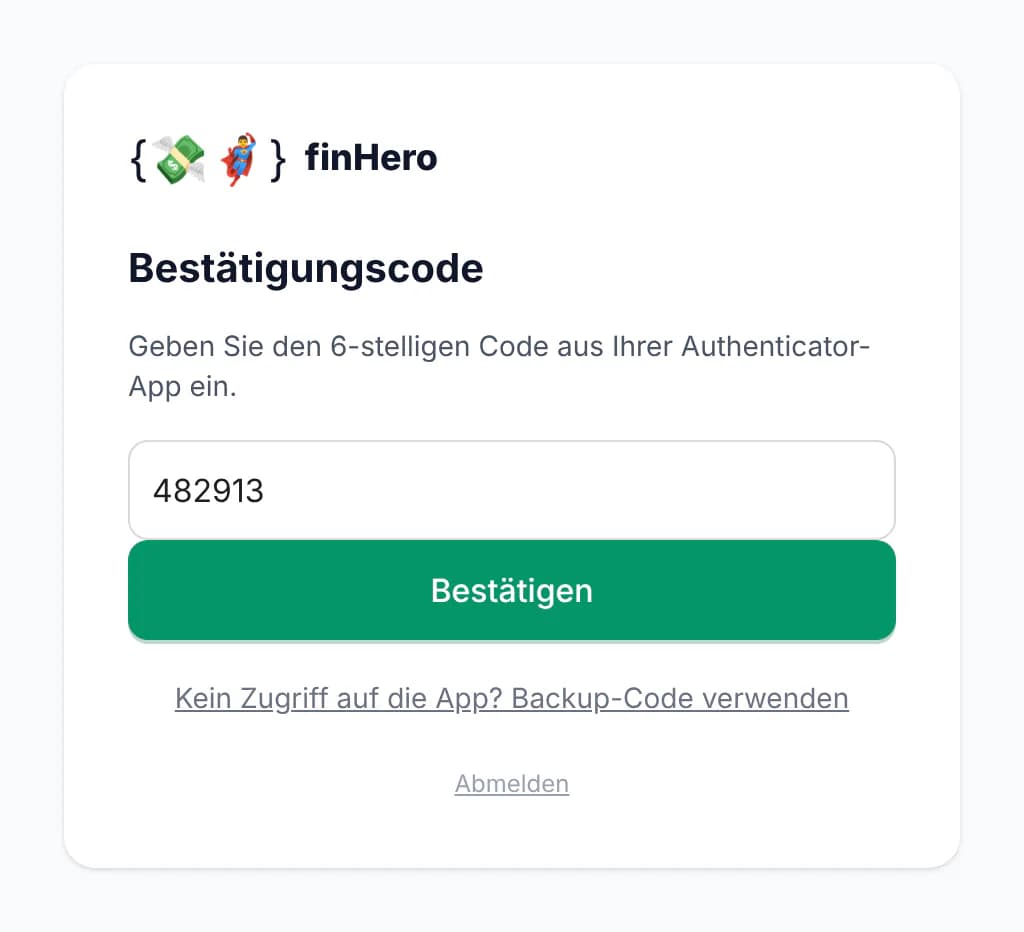
On your first sign-in you set up an authenticator app and receive backup codes.
- 3
Get started
Every sign-in starts in the client overview – with every client who has given you access.
Or with your own firm account
With a firm account you create your clients' finHero accounts yourself or earn a commission on their subscriptions.
Day to day
Overview, download, import
What you need every month, without clicking through individual clients.
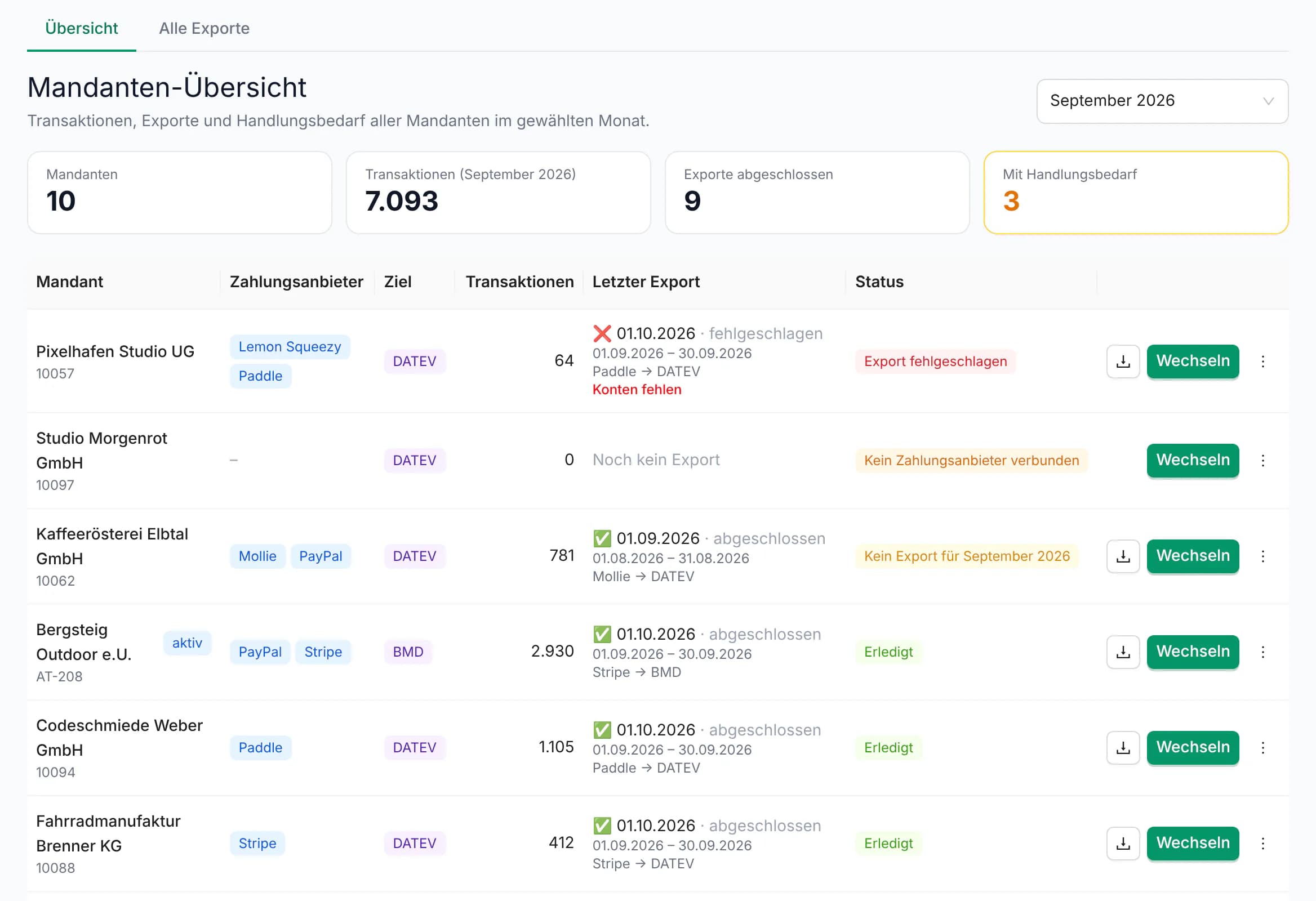
All clients at a glance
For the selected month the overview shows each client's connected payment providers, target system, transactions and latest export. Whatever needs attention is at the top.
- Key figures: clients, transactions, completed exports, items needing attention
- Status per client: export failed (e.g. “Accounts missing”), no export for the month, no payment provider connected
- The last 18 months selectable, your own label per client (e.g. client number)
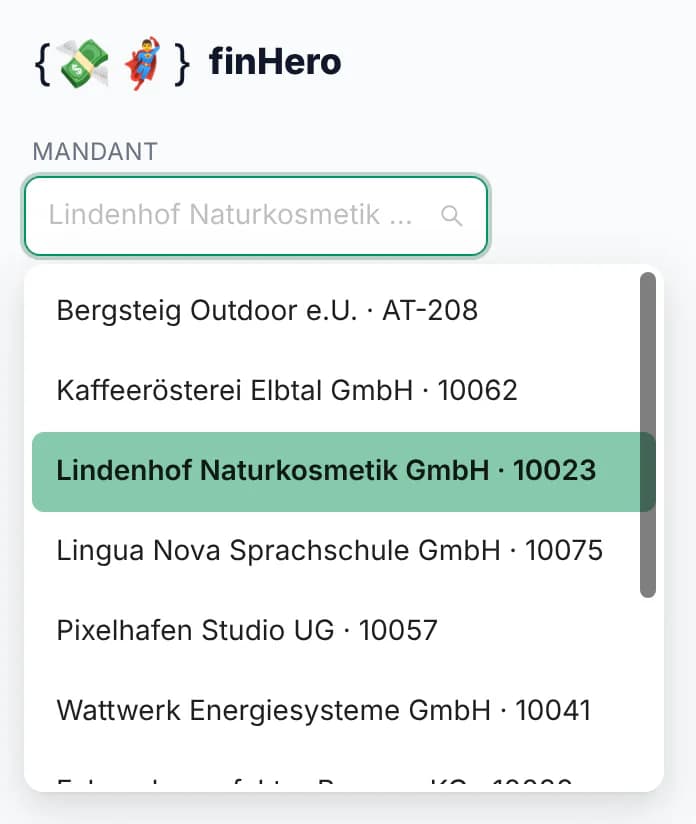
Switch into a client: For settings or a new export you switch into the client with the searchable client selector.
All exports of all clients in one place
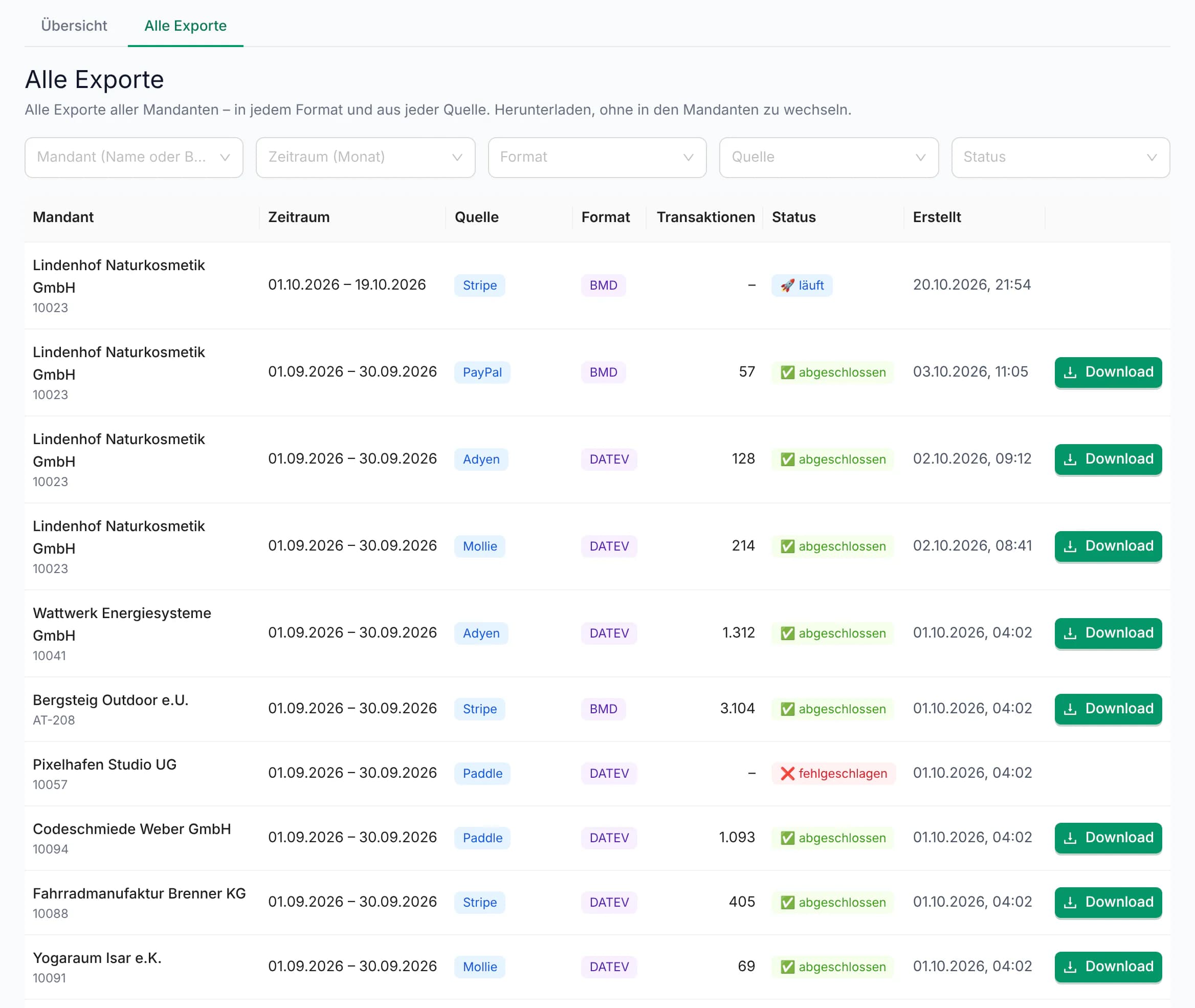
One list with every export of every client – in every format and from every source. Download without detours, without switching into the client.
- Filter by client (name or label), month, format, payment provider and status
- DATEV, BMD, bexio and Abacus; Stripe, PayPal, Mollie, Adyen, GoCardless, Paddle and Lemon Squeezy
- A client's latest export also directly from the overview
Import as usual
Every export is a ZIP with the booking batch for the target system and the receipts. You import it into DATEV or BMD as usual – if you like, a new batch for the previous month arrives automatically every month.
Account logic
Set up once, booked correctly every month
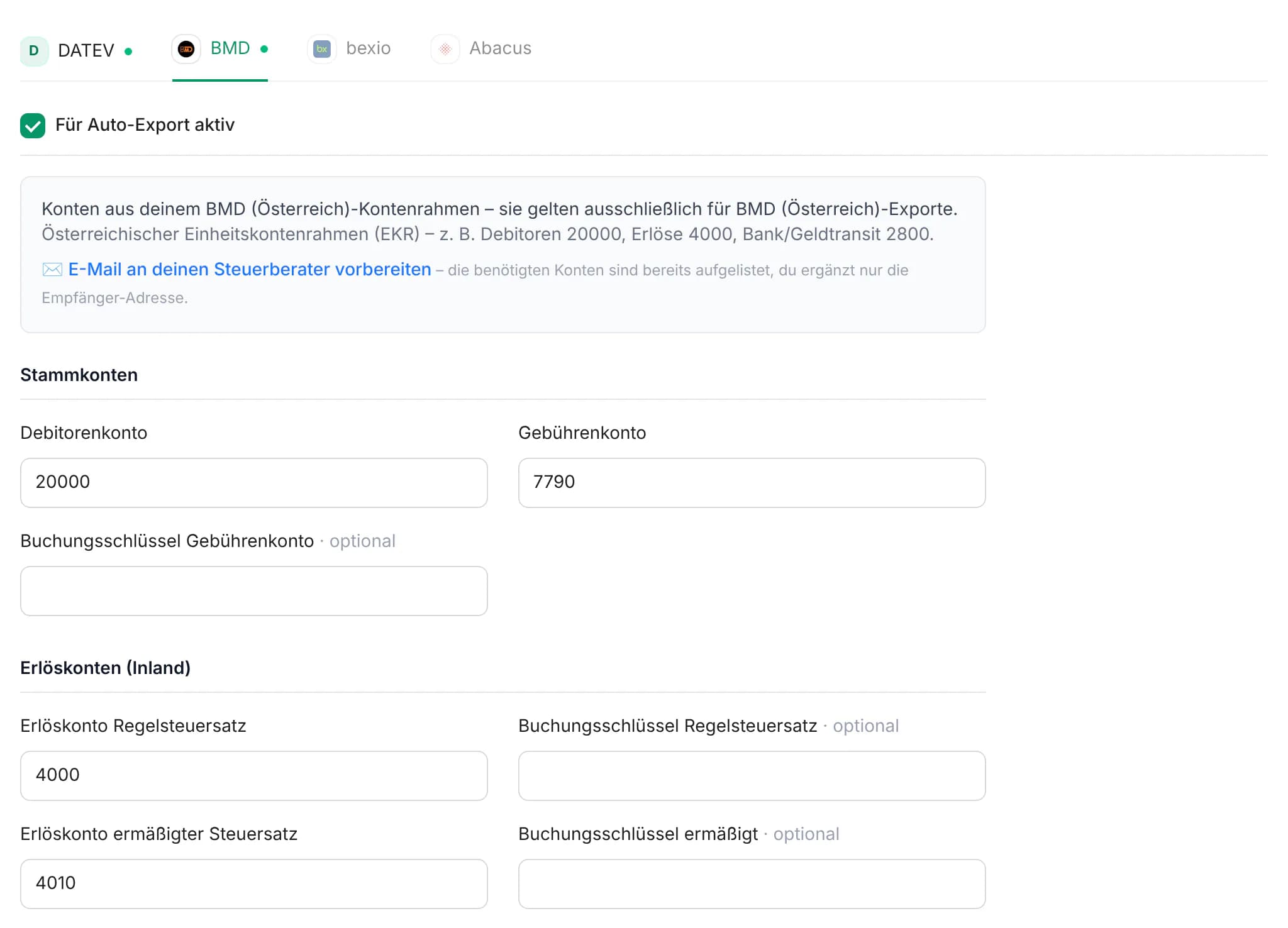
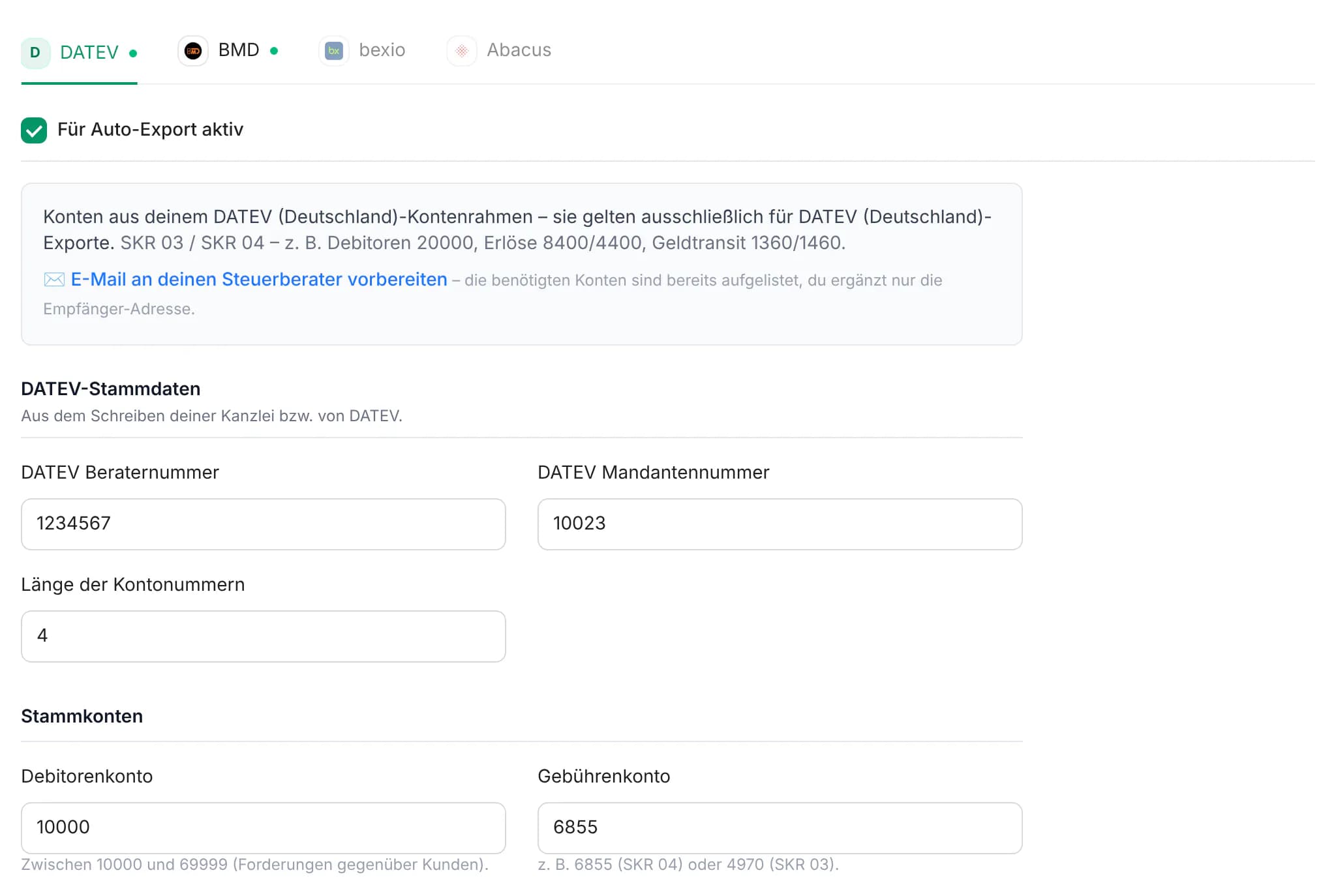
In the accounting settings you define advisor and client numbers, general ledger accounts, debtors and tax keys – separately for each target system, e.g. BMD for Austria and DATEV for Germany.
- 1
The client connects the provider
Read-only – by API key or, for GoCardless, by signing in. Done in 15 minutes.
- 2
You define the accounts
The prepared tax advisor email asks for exactly the values that are needed.
- 3
One batch every month
At the start of the month the batch for the previous month is ready – repeatable for past periods at any time.
Traceable for audits
- Original transaction ID on every booking
- Receipts and receipt index in the export
- SHA-256 checksum per export package
- Past months repeatable identically at any time
Learn more: GoBD-compliant export · Data processing agreement
Security
Access only with a second factor – and only to what you need
Fixed rules apply to tax advisors and firm accounts, and they cannot be switched off.
Mandatory two-factor authentication
You confirm every sign-in with a code from your authenticator app; backup codes cover emergencies.
Only exports and accounting settings
User management, API tokens and billing stay with the client – except for client accounts your firm creates itself.
No API keys visible
You only see which payment providers are connected – never the keys, not even through the API.
The client stays in control
The client sees you in their user list and can remove your access at any time – it ends immediately, downloads included.
Firm account
Your own firm account: two billing models
With a firm account you benefit from attractive terms – as commission or as a firm discount. You choose the model once, when you register.
Billed to the clients
- Your clients subscribe to and pay for finHero themselves at the regular price.
- You receive a commission on the paid subscriptions of all clients who have given you access.
- Monthly by credit note and bank transfer – with no time limit and no minimum revenue.
- No direct debit mandate needed. Clients invite you as tax advisor as usual.
Billed to the firm
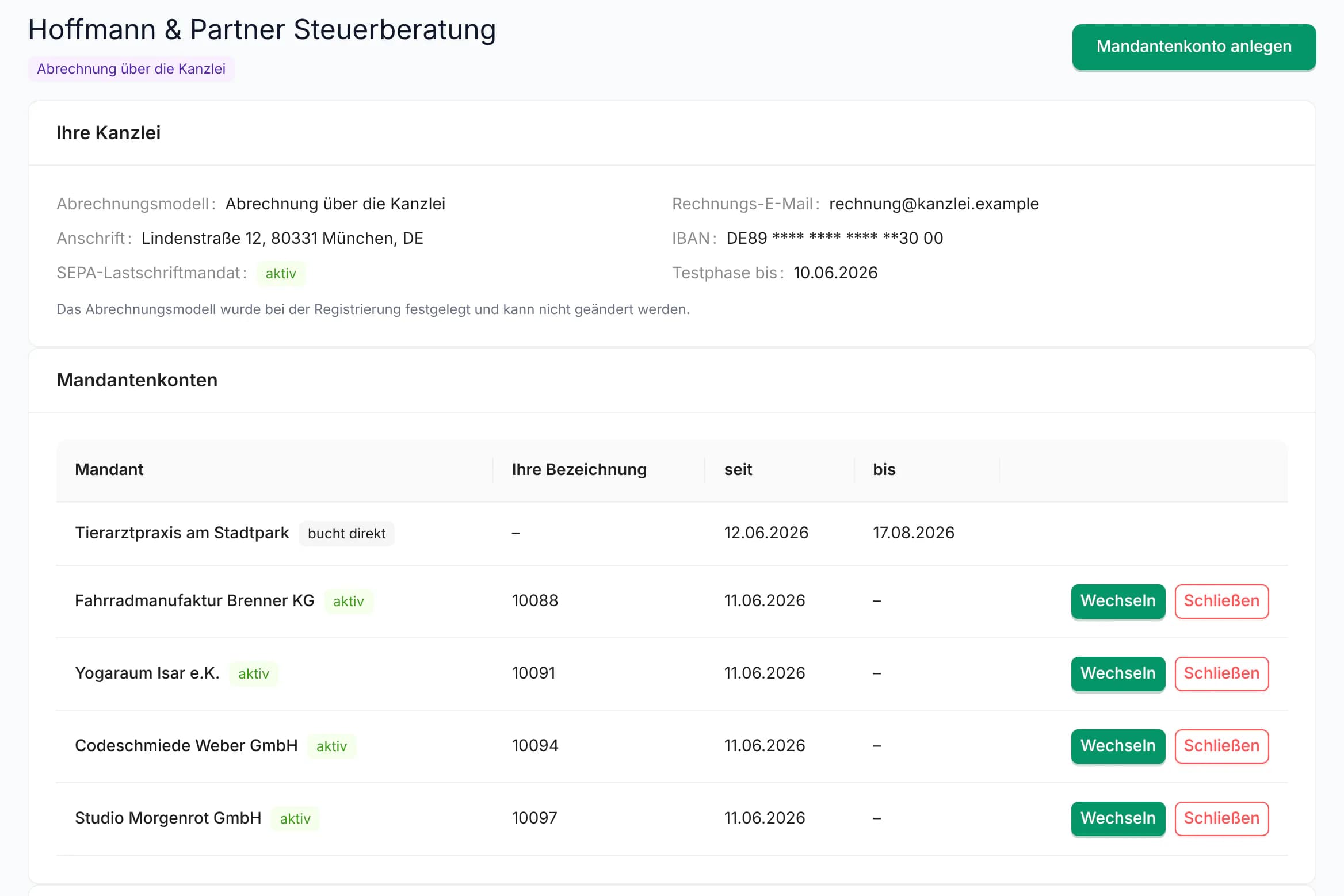
- You create your clients' finHero accounts yourself and invite their users.
- A firm discount on the regular price of every client account.
- One consolidated invoice per month with one line per client account, collected by SEPA direct debit.
- Your clients receive no invoice from finHero.
7-day trial from registration – your firm's first export during that time is free.
Attractive terms – we share the details in a personal conversation or during registration, before you commit. Book a call
Important: the billing model is final and cannot be changed after registration. We're happy to advise you beforehand.
Who subscribes, who pays, who manages?
| The models compared | Billed to the clients | Billed to the firm |
|---|---|---|
| Who subscribes to and pays for finHero? | Each client, with their own subscription | Your firm |
| Who receives the invoice? | The client, directly from finHero | Your firm – one consolidated invoice per month, one line per client account |
| Who creates the finHero accounts? | The client, who invites you as tax advisor | Your firm, directly on the firm page |
| Who manages the client's users? | The client | Your firm |
| How is it paid? | The client pays finHero directly | SEPA direct debit from your firm (mandate given at registration) |
| Your benefit | Commission on the paid subscriptions, monthly by credit note | Firm discount on the regular price |
| A good fit if … | your clients should subscribe to and pay for finHero themselves | you offer finHero as part of your firm's service and bill it yourself |
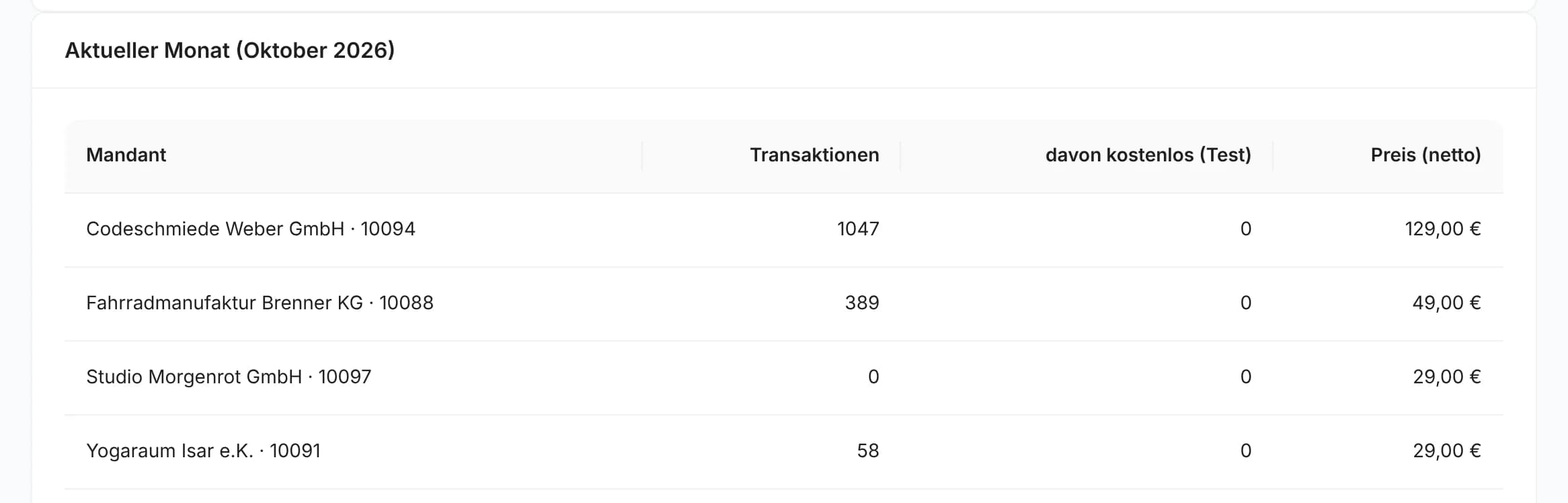
Regular price tiers per client account and month
The public list price, based on the transactions exported in the month. All prices net plus VAT.
| Transactions per month | Price (net) |
|---|---|
| 1 – 100 | €29.00 |
| 101 – 500 | €49.00 |
| 501 – 1,000 | €79.00 |
| 1,001 – 2,500 | €129.00 |
| 2,501 – 5,000 | €229.00 |
| 5,001 – 7,500 | €359.00 |
| over 7,500 | €499.00 |
Your firm page
With “Billed to the firm” you create client accounts, switch into them and invite users. For the current month you see transactions and tier price per client account – so you already know today what the next monthly invoice contains. Commissions are listed with credit note number and payout status.
FAQ
Frequently asked questions from tax firms
Does tax advisor access cost me anything?
No. When a client invites you, you don't need a finHero subscription of your own. Exports you start in the client's account are billed through the client's subscription.
Can I change the billing model later?
No. The billing model is set once at registration and cannot be changed afterwards – neither by you nor by us. You confirm this explicitly when you register.
How high are the commission and the firm discount?
We're happy to tell you the terms in a personal conversation. During registration you see them before you commit to a model.
Can I combine both models?
Partly: with “Billed to the firm”, clients with their own finHero subscription who invite you as tax advisor still earn you commission. With “Billed to the clients”, however, you cannot create client accounts yourself.
What do my clients see?
When the clients are billed, nothing changes for them: they keep their subscription and see you in their user list. When your firm is billed, the client's users see “Billed via” with your firm's name and receive no invoice from finHero.
Can clients leave the firm?
Yes. A client can subscribe to finHero directly at any time – exports, settings and users are kept; your firm keeps tax advisor access but no longer manages users. Or the client moves to another firm that is registered with “Billed to the firm” and accepts the request. You can also close a client account yourself; it is then no longer billed to you.
What happens if a direct debit fails?
Until it is resolved you cannot create new client accounts. If the payment is still open after 14 days, your client accounts can no longer start new exports – existing exports can still be downloaded.
From which countries can a firm register?
From Germany, Austria, Switzerland and all other EU member states. Outside Germany a VAT ID is required; billing then uses the reverse-charge procedure.
What about data protection and GoBD?
We conclude a data processing agreement with every customer. Payment providers are connected read-only. Every export package gets a SHA-256 checksum when it is created, and every booking carries the original transaction ID – so the path from receipt to booking stays verifiable.
Get started with your firm
Register your firm account in a few minutes – or talk to us first: a short call, one test client, a finished Buchungsstapel. Advice is free for tax firms.
no obligation · reply within one business day









